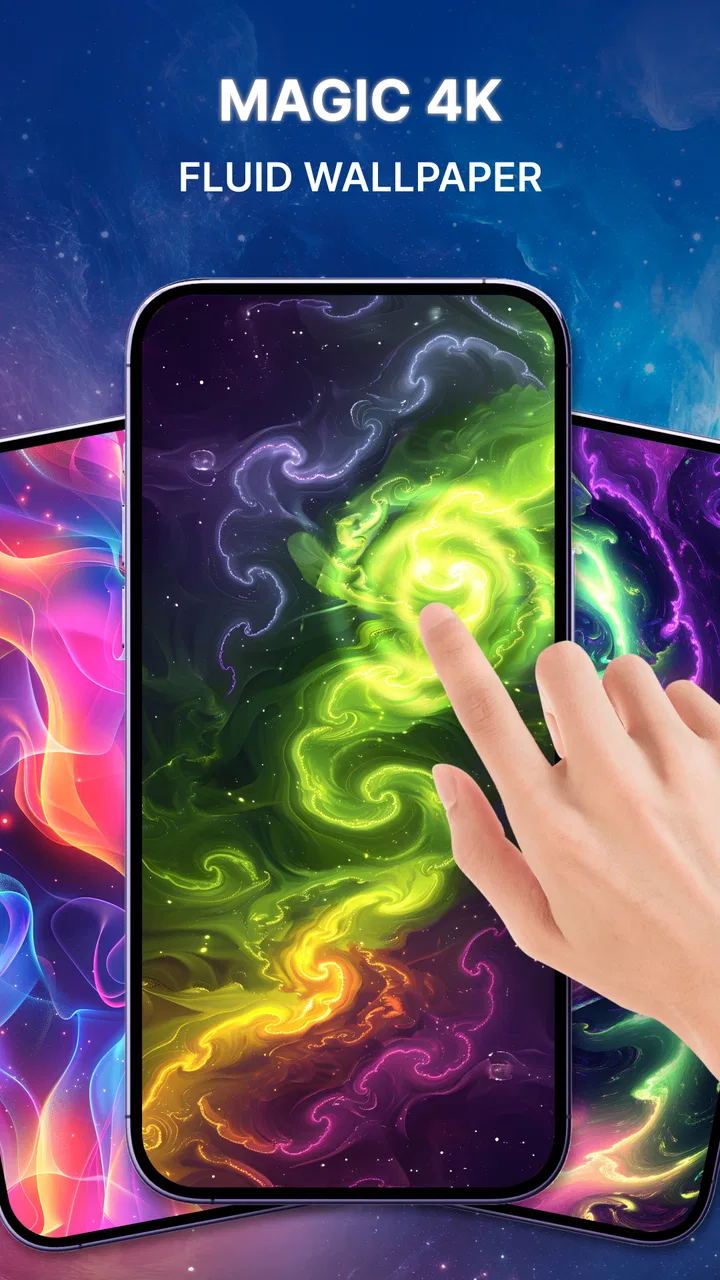
Magic Fluid: Live 4D wallpaper
- 3.8
- Rating
- 5.00M
- Installs
- Free
- Price

 Analysis by App-foxy
I installed Magic Fluid expecting a simple way to make my phone feel less static, and that is exactly where this app makes sense. It belongs to the personalization category, but it does not try to replace a normal photo wallpaper with a more elaborate picture. Instead, it turns the background into a moving fluid scene that feels closer to a tiny visual experiment than a fixed image. When I pick up my phone between tasks, the shifting colors give the screen a calmer, more active appearance without asking me to open a separate app.
The appeal is easy to understand: a live wallpaper changes the mood of the device every time I unlock it. Magic Fluid focuses on that small moment rather than on productivity or communication. I found it most enjoyable when I wanted something relaxing during short pauses, while reading, listening to music, or waiting for an app to load. It is free to install, rated for Everyone, and available for Android devices running version 8.0 or later, so the basic idea is accessible to a broad range of phones.
From a plain home screen to a moving background
My starting point was an ordinary home screen that worked perfectly well but looked forgettable. A still photograph can feel personal, yet it also becomes invisible after a while. A video wallpaper can be more dramatic, although it may feel too busy or tied to one particular image. Magic Fluid takes a different route by using fluid simulation as the visual focus. The result is abstract, so it does not compete with a family photo, a landscape, or a carefully arranged set of icons.
You May Also Like

 Blood Strike: 2.5 Anniversary
Blood Strike’s Loadouts Turn Every Drop Into a Tactical Gamble
A close look at Blood Strike’s custom loadouts: how fast access to signature weapons reshapes its battle royale rhythm, rewards preparation, and narrows the gap between fights.

 Pandora - Music & Podcasts
Pandora’s Music Is Easy to Start, but Harder to Recover
Pandora’s strength is its low-effort path from a seed to a station. Its weak spot is how much confidence it asks you to place in connection, setup, and quiet recovery.

 8 Ball Pool
 Is Built on Rivalries, Rematches, and Routine
A close look at the rivalries, rematches, shared routines, and unanswered safety questions that turn a quick pool match into a persistent mobile community.

 Samsung Music
’s Quiet Strength Is Playing What You Already Own
Its reach comes less from spectacle than from dependable access to a personal library. That simplicity is both the app’s strongest retention engine and its ceiling.

 AccuWeather: Weather Radar
AccuWeather Review: A Quick, Clear Forecast for Everyday Decisions
For everyday plans, the best forecast is the one you can understand quickly. AccuWeather makes rain timing, radar, and local conditions easy to act on, with a few trade-offs.

 Hill Climb Racing
Why Hill Climb Racing Still Turns Crashes Into One More Run
A tiny car, a bumpy hill and one more upgrade: Hill Climb Racing keeps resurfacing because its simple chaos makes every near-miss feel personal.
More From Our News Desk



That distinction matters when deciding whether this app is right for you. I would recommend it to someone who enjoys ambient visuals and wants the phone to feel a little more expressive. I would be more cautious about recommending it to someone who needs a completely motionless background for concentration, accessibility, or a very clean minimalist setup. The animation is the point of the app, not an optional decoration around a conventional wallpaper.
The developer is GREEVIL'S GREED, and the app has built a substantial audience, with more than five million installs and an average rating of 4.1 from roughly 4.8 thousand ratings. Those figures suggest that the concept is easy for many people to appreciate, but they do not remove the need to judge the experience on your own phone. Live backgrounds are unusually personal: what feels soothing on one display can feel distracting on another, especially when icons and widgets are already competing for attention.
What I looked for before applying it
Before making it my background, I considered three practical questions. Would the motion remain pleasant after repeated unlocks? Would the fluid design leave enough visual space for icons? And would the setup feel more complicated than simply choosing a photo from the gallery? These are more useful questions than asking whether the animation looks impressive in a screenshot, because a wallpaper is something you see many times during an ordinary day.
I also treated the home screen and lock screen as separate parts of the decision. A background that looks beautiful behind a few icons may become cluttered when a clock, notifications, and shortcuts are placed over it. The abstract nature of the fluid scene helps because there is no obvious subject that can be covered, but contrast still matters. I found that a calmer-looking portion of the animation is better for reading app names than a highly active area with several colors changing at once.
The best result comes from matching the motion to the phone’s layout, not simply choosing the most colorful scene. That is an easy detail to overlook. A wallpaper is not viewed in isolation; it sits underneath every icon, folder, widget, and notification. If your home screen is crowded, a softer fluid arrangement will usually be more usable than the most intense visual option.
How the setup fits into a normal routine
The useful workflow is straightforward. I open the personalization app, explore the available fluid presentation, decide whether the movement suits my screen, and then apply it as the wallpaper. After that handoff, the phone’s own home-screen system becomes the place where I actually experience the result. This means the important test is not just inside the app. I need to leave it, return to the launcher, and check whether the background still works with my real icon arrangement.
That handoff is where many wallpaper apps can feel less polished than expected. The preview is usually a controlled environment, while the home screen contains practical distractions. I recommend checking the first page of icons, the page with the most widgets, and the lock screen if your device allows the wallpaper to appear there. A background that looks balanced in a preview can become visually noisy once the phone adds its own clock or notification elements.
For my everyday test, I imagined using the phone during a work break. I unlock it to answer a message, glance at a calendar, and then return it to the desk. The fluid motion gives that brief interaction a more relaxed character, but it does not interrupt the task because the wallpaper stays behind the apps. Later, when I move between music and the browser, the same background provides continuity without requiring another action. That is the strongest use case: small moments of atmosphere rather than constant entertainment.
Choosing a background that remains usable
I would not judge the app only by the most striking visual effect. For daily use, I prefer a design that leaves some quieter areas behind the main icons. This makes folders easier to identify and reduces the effort of scanning the home screen. If you use a large clock or a weather widget, place it over a part of the background with less visual movement when possible. The goal is not to hide the animation, but to keep it from becoming the first thing you notice every time you look for an app.
Another practical tip is to give the wallpaper a full day before deciding. The first few minutes naturally feel more exciting because the screen has changed. After repeated use, you can tell whether the motion is genuinely relaxing or merely novel. I found that this trial period is especially important for people who unlock their phones frequently. A visual effect that feels pleasant during occasional use may become tiring when repeated dozens of times.
This is also where Magic Fluid differs from the usual alternatives. A photograph offers identity and emotional meaning, while a video wallpaper offers a specific scene and often a stronger sense of movement. A fluid simulation is more neutral. It does not tell a story, show a place, or preserve a memory. That makes it easier to live with across changing moods, but it also means it may feel less personal than a carefully chosen image.
The handoff between customization and phone performance
Once the background is applied, the app’s work becomes less visible, but the phone still has to display the moving result whenever the relevant screen appears. That creates a trade-off. The appeal of a live wallpaper depends on animation, yet animation is more demanding than a static image in principle. I would therefore test it during the parts of the day when I normally rely on the phone most, rather than assuming the preview tells the whole story.
On a newer device, the effect may feel like a harmless visual layer. On an older or less powerful phone, I would be more selective about how long I keep it installed and whether the extra motion feels worthwhile. The minimum operating-system requirement is Android 8.0, but compatibility is not the same as identical comfort on every device. Screen size, launcher behavior, refresh characteristics, and the number of widgets on the home screen can all affect how convincing the final result feels.
I also would not choose this app for a phone whose battery life is already a daily problem without testing it carefully. I am not claiming a specific battery cost, because that depends heavily on the device and its settings. The sensible approach is simple: use the wallpaper through a normal routine, notice whether the phone remains responsive and comfortable, and switch back to a static image if the trade-off does not feel worthwhile. The app is optional personalization, so it should not make the phone less dependable.
Where the free experience fits, and where it may not
Magic Fluid is free to download, which makes experimenting with it low-risk. That is important for this type of app because a wallpaper can look appealing in theory and still fail to suit your personal screen. You can approach it as a visual trial rather than committing to a major change in how the phone works.
There are in-app purchases ranging from $3.99 to $12.99 per item. I would think about those purchases only after deciding that the free experience genuinely improves the phone for me. The paid option should be judged as an enhancement to a wallpaper habit, not as something necessary to understand the basic concept. If you change wallpapers often, paying for additional personalization may have limited value. If you keep one background for months and enjoy the fluid style every day, the decision becomes more reasonable.
This pricing structure also changes who should skip the app. Someone looking for a completely free, static collection of photographs may be happier with the phone’s built-in wallpaper picker or a gallery app. Someone who wants a large library of licensed artwork may prefer a dedicated wallpaper service designed around images rather than simulation. Magic Fluid is more narrowly appealing: it is for people who specifically want an animated, abstract fluid look and are willing to evaluate whether that visual change earns a permanent place on the device.
What the result feels like after the novelty fades
After the initial setup, the main result is not a new tool or a new way to organize the phone. It is a change in atmosphere. The screen feels less like a static utility and more like a small moving surface. I appreciate that the abstract design does not age as quickly as a seasonal image or a highly specific theme. It can fit a workday, a quiet evening, or a casual weekend without forcing the rest of the phone into one aesthetic.
At the same time, the benefit is subtle. If you rarely look at the home screen, you may not notice enough difference to justify keeping a live wallpaper. If you use a launcher with heavy visual customization, the fluid background may become just one layer among many. In that situation, a coordinated icon pack or a carefully selected still image could produce a clearer improvement. Magic Fluid works best when the moving background is allowed to be the main decorative change.
The app is also unlikely to satisfy someone searching for practical personalization controls such as extensive icon management, notification styling, or home-screen organization. Its strength is visual mood, not system-wide customization. That narrow focus is a positive when you want a focused experience, but it limits the app’s usefulness if you expect a complete personalization suite.
Where the workflow breaks down
The first possible break is the preview-to-home-screen transition. A scene may look smooth and attractive inside the app but compete with text and widgets after application. I would solve that by checking the actual launcher immediately and rearranging only the most important icons if necessary. If the background still makes labels difficult to read, the problem is not worth tolerating for decoration.
The second break is visual fatigue. Motion can be relaxing when it remains in the background, but it can become a distraction when the colors are too active or when the phone is used in a quiet environment. This is especially relevant for people who read on the home screen, keep many reminders visible, or use the device beside a desk while working. In those cases, a static wallpaper may be the better tool even if the fluid effect is attractive.
The third break is the difference between device compatibility and personal comfort. Android 8.0 support makes the app available to older phones, but an older phone may not deliver the same experience as a recent one. If transitions feel less smooth or the phone already struggles with everyday tasks, the moving wallpaper should be the first optional feature I remove. A beautiful background is not a good bargain if it makes the device feel less responsive.
There is also a financial stopping point. The free installation makes testing sensible, but I would not buy additional items simply because the app is enjoyable for a few minutes. I would first use it during real routines: unlocking in the morning, checking messages, moving between apps, and returning to the home screen at night. If the result continues to feel useful after that repetition, a purchase may make sense. If not, the free trial has already answered the question.
Who I would recommend it to
I would recommend Magic Fluid to someone who wants a calm, animated background without choosing a personal photo or a fixed scene. It suits users who enjoy abstract visuals, change their home-screen style occasionally, and want the phone to feel a little more distinctive during ordinary pauses. It is particularly appealing when you want the wallpaper to add atmosphere without demanding interaction.
I would suggest it cautiously to people with older devices, busy home screens, or strict battery expectations. They should test the actual phone rather than relying on the preview. I would also point heavy customization fans toward a broader personalization tool if they want icons, widgets, and system elements to follow one unified theme. This app is focused and pleasant, but it is not trying to solve every home-screen problem.
For me, the final outcome is a successful small upgrade rather than an essential utility. The current version is 1.0.25, and the app’s identity remains clear: fluid motion, ambient color, and a more lively background. I like it because it changes the feeling of a familiar device with very little effort. I would keep it installed when the animation remains comfortable alongside my icons and widgets, and I would return to a static image whenever calm means stillness rather than movement.
My recommendation is to try the free version as a real daily wallpaper, not just as a preview. Give the handoff from the app to your home screen enough attention, watch how the result fits your routine, and decide based on comfort after the novelty fades. If you want an abstract live background, Magic Fluid is a convincing and approachable choice. If you want personal photographs, deep launcher controls, or the lowest possible visual and performance impact, a conventional static wallpaper will probably serve you better.
FAQs for Magic Fluid: Live 4D wallpaper
01What is Magic Fluid: Live 4D Wallpaper?
Magic Fluid: Live 4D Wallpaper is a dynamic and interactive wallpaper app designed for Android and iOS devices. It transforms your device's background into a mesmerizing display of fluid animations, creating a visually stunning effect that responds to touch. This app enhances your screen with vibrant, flowing colors and patterns.
02How does Magic Fluid: Live 4D Wallpaper work?
The app utilizes advanced algorithms to simulate fluid dynamics on your screen. Users can interact with the wallpaper by touching the screen, which causes the fluid to react and move in real-time. This creates an engaging experience, as each touch alters the colors and patterns, making it unique every time.
03Is Magic Fluid: Live 4D Wallpaper customizable?
Yes, the app offers a wide range of customization options. Users can adjust the colors, patterns, and speed of the fluid animations to suit their preferences. Additionally, different themes are available, allowing users to personalize their experience further and create a unique look for their device.
04Will Magic Fluid: Live 4D Wallpaper drain my battery quickly?
While the app is designed to be visually appealing, it also prioritizes efficiency. The developers have optimized Magic Fluid to minimize battery consumption. However, as with any live wallpaper, it may use more battery than static backgrounds, so users should monitor their device’s battery life accordingly.
05Is Magic Fluid: Live 4D Wallpaper compatible with all devices?
Magic Fluid is compatible with most modern Android and iOS devices. However, performance may vary depending on the device's hardware capabilities. It is recommended to check the device's compatibility in the app store before downloading to ensure optimal performance and experience.
Pros
- Stunning visual effects enhance device aesthetics.
- Highly customizable settings for unique designs.
- Smooth performance without battery drain.
- Interactive touch controls make it engaging.
- Supports both portrait and landscape modes.
Cons
- Limited free features; in-app purchases needed.
- Occasional minor lags on older devices.
- No option to save designs as static images.
- Some users report frequent update prompts.
- Requires Android 5.0 or higher
- limiting access.

Magic Fluid: Live 4D wallpaper
Gallery